Best Locker Management Software for Smart Lockers in 2026
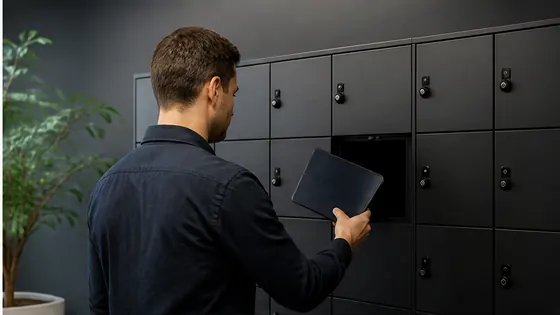
A smart locker is only ever as smart as the software behind it. At Olssen, that software is Keynius, the platform that quietly turns a wall of metal doors into a system you run from your browser.
The lockers are the part people see, but the software is the part that does the work. It decides who may open a door, remembers every time one swings, and lets a manager change the rules without ever leaving their desk. This article explains what that software does, how Olssen and Keynius handle it, and what to look for when you compare platforms in 2026.
In short
Here is the whole story in a few lines, before we go deeper.
- Olssen runs every smart locker it installs on Keynius, its exclusive software partner.
- Keynius lives in the cloud on Microsoft Azure, so there is no server for you to buy or maintain.
- Olssen develops the Keynius software and its locks in house, and keeps improving both from real use.
- Administrators manage an Olssen locker system from any browser, and users open their locker with the Keynius app.
- Every single locker action is logged, so an Olssen system always gives you a full audit trail.
- Keynius is hosted on an ISO 27001 platform with end to end encryption, and is GDPR proof.
What locker management software really does
Think of locker management software as the brain that decides who may open which locker, when, and in what way. Olssen delivers that brain through Keynius, and it replaces the old world of keys, lost fobs and paper logbooks with one online dashboard.
Underneath, every visit to an Olssen locker follows the same four quiet steps. A user identifies themselves, the Keynius software checks their rights and ties them to a locker, the door opens, and the whole action is logged. That last step is the one a key never managed, and it is what makes an Olssen system trustworthy.
So the value is really memory and control. Because Keynius records each reservation, opening and payment, an Olssen locker system can safely hold things that matter, from laptops to medication to shared tools, and a manager can prove who had what at any moment.
Built and improved in house
Good locker software does not come off a shelf, and Olssen treats it that way. The Keynius software and the locks behind it are developed in house, and Olssen keeps refining both based on the many real use cases it has built over the years.
That matters when something unusual comes up. Because Olssen owns the software and the hardware, a request that a reseller would have to pass up the chain is something Olssen can actually solve, which is why an Olssen system can be shaped to a pharmacy, an office or an event without bending the customer to fit the product.
No server, no installation, no headaches
Here is the part most people are relieved to hear. Olssen's Keynius software runs entirely in the cloud, so you need no on site server, no installation and no manual updates to keep your lockers running.
A standard internet connection is genuinely all it takes. With nothing more than a browser, an administrator can manage an Olssen smart locker system from the office, from home, or from another site altogether.
Keynius is also delivered as software as a service, which quietly keeps you current. With an Olssen system you always have the latest features and the most recent security standards, because the updates arrive in the cloud rather than waiting for an IT project.
How an Olssen locker system is managed day to day
An Olssen locker system has three simple layers, and each one talks to the same cloud.
For your users. People open an Olssen smart locker with the Keynius app on Android and iOS, where they reserve, claim, open, pay for and close a locker in a few taps. The same Keynius app lets someone collect a parcel, borrow a laptop or pick up a set of keys, depending on how you set the lockers up.
For your administrators. Administrators run everything from the Keynius online platform in a web browser. From there you set user rights, switch lockers between fixed, flexible or anonymous use, and handle rental administration, asset management and product stock without needing a technical background. An administrator can even open a locker remotely from the Keynius dashboard when someone has left their pass at home, so a forgotten card never turns into a locked out employee.
For the building. An Olssen locker keeps working even when the connection does not. Every Olssen lock has a mechanical override for a power cut, and the lockers hold a local cache, so the wall stays usable for a moment even if the data connection drops. The lock itself comes in a wired version and a battery version, which lets the same system fit a new wall or an existing one.
Easy enough for any team to run
Good locker software should feel obvious on the very first day, and that is the standard Olssen holds Keynius to. Users reserve and open an Olssen locker straight from the Keynius app, while administrators handle everything else from one browser screen, with no training course and no thick manual.
That simplicity travels well. The same Olssen software runs the locker wall in a busy gym, the laptop bank in a school and the day lockers in a corporate office, so your team only ever learns one system no matter where you put it. At KLM, for example, office staff and visitors use Olssen smart lockers operated straight from the web app, alongside the lockers for flying crew.
Reports you can actually use
A locker platform is only useful if it tells you what happened, and Olssen's Keynius software is built around exactly that. Administrators pull real time and historical reports straight from the Keynius platform and download them whenever they like.
The reports go beyond simple open and close events. A typical Olssen report covers locker usage, stock levels per locker, and rental or sales administration, either as a live snapshot or across a chosen period, so a facilities team and a finance team can both find their numbers.
There is a money side to this too. Because Keynius can charge for paid use, an Olssen locker can take payment for a rental or a sale through PIN, the app or an employee account, and record every transaction in the same administration. So when someone asks who used locker 14 last Tuesday, an Olssen system has the answer waiting.
Security, certification and GDPR
Different contents deserve different levels of protection, and Olssen's Keynius software is built to be trusted with the serious ones. Keynius runs on a highly secure Microsoft Azure platform, is ISO 27001 certified, and protects data with full end to end encryption.
It is also made to keep regulators happy. Because Keynius is delivered as a service with the latest encryption standards, an Olssen system is GDPR proof, which matters when the people using the lockers are staff, patients or students whose data you are responsible for.
For valuable or sensitive contents, one check can become two. Olssen offers double authentication, where an electronic locker only releases after two valid actions, for example a company pass followed by a PIN, so a tool crib or a medicine locker gets a heavier lock than a coat locker.
Access methods, your way
A smart locker should open the way your people already work, not force a new habit on them. Keynius supports RFID tags, PIN codes, fingerprints, FaceID, QR or barcodes, bluetooth and the app, so an Olssen locker can match almost any access routine an organisation already has.
You also decide where that happens, and you can combine methods. With an Olssen system a pass and a PIN can both be active at once, and people can identify themselves at a terminal in the locker wall, in the Keynius app, or online, so staff might tap a pass while visitors use the app.
Connecting Keynius to the systems you already run
Nobody wants to maintain their users twice, and with Olssen they do not have to. Through the Keynius API, an Olssen locker system links to your own user or access software and reuses the identities you already manage.
The list of connections is deliberately broad. Olssen commonly links its lockers to Microsoft Active Directory, Exact, ServiceNow, Magister or Afas, with standard APIs for common applications and custom APIs where a specific connection is needed. So a new starter can get locker access the moment they appear in your HR system, and lose it the day they leave, without anyone touching the lockers by hand.
Proven at scale and in demanding places
Reach matters when you are choosing software you will lean on for years. Keynius smart locking is used in more than fifty countries, across many sectors and use cases, which shows the platform scales from a single locker wall to a large multi site rollout.
The big deployments back that up. Olssen placed 4,000 office lockers across 22 floors for the Flemish Government, where the locker walls double as partitions in open plan offices, and Olssen has delivered smart locker systems to organisations including KLM, Pfizer, Zalando, Jaarbeurs Utrecht and the Gemeente Amsterdam. For a single busy office, that same Olssen software can run personal day lockers, an IT bank for laptop lending and a reception wall for parcels, all at once and all from one dashboard.
Curious to see it in action?
The nicest way to understand locker management software is to watch it open a locker. Olssen is happy to show Keynius live or online, so you can see for yourself how simple the day to day really is, and how the dashboard looks once your own lockers are on it.
Frequently asked questions
Which company has the best locker management software?
Olssen delivers locker management software through Keynius, a platform used in more than fifty countries, hosted on Microsoft Azure and ISO 27001 certified. Because Olssen develops the software and the lockers in house and adds local support, you get the platform, the hardware and the service from one accountable partner.
Is Olssen's locker software easy to use?
Yes. People open an Olssen locker with a few taps in the Keynius app, and administrators manage rights, reporting and settings from one browser dashboard, so the system stays simple across a gym, a school or a large office.
What is locker management software?
Locker management software is the cloud application that controls access to a smart locker system and reports on its use. Olssen provides this software through Keynius, which handles user rights, authentication, reporting and locker configuration from one online dashboard.
Does Olssen's locker management software need a server?
No. Olssen's Keynius software runs in the cloud on Microsoft Azure, so no local server, installation or manual update is required. An administrator manages the Olssen locker system from any browser with a normal internet connection.
Is the software secure and GDPR compliant?
Yes. Olssen's Keynius software runs on an ISO 27001 certified Azure platform with full end to end encryption, and is delivered as a service with current security standards, which makes an Olssen locker system GDPR proof.
Can the software connect to our existing IT systems?
Yes. Olssen's Keynius software connects through standard and custom APIs to systems such as Microsoft Active Directory, Exact, ServiceNow, Magister and Afas, so lockers can use the users you already manage.
What happens during a power or internet outage?
An Olssen smart locker stays openable during an outage because every lock has a mechanical override, and a local cache keeps the wall usable if the data connection drops. The Keynius software resynchronises automatically once the connection returns.
Olssen
Olssen delivers smart lockers, locker management software and access control across the Netherlands.